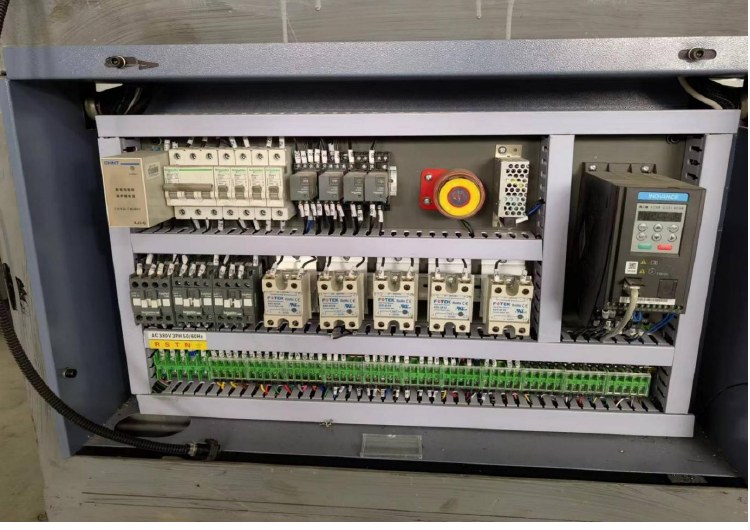
Paper cup machine remote troubleshooting evidence should allow the supplier to understand what happened, on which configuration and under which conditions. A short message such as “the machine stops” rarely identifies a useful next step. Prepare a compact evidence package before changing settings or replacing parts, while keeping observations inside the authorized safety boundary.
Identify the exact machine and application
Record model, machine identity, installed options and the applicable drawing or tooling set. Include the cup specification, material source and relevant batch identification. State whether the fault appeared during startup, steady operation, changeover or restart.
Describe the first occurrence and later pattern. Has the symptom appeared only with one material lot, one cup application or one operating state? Report those observations without declaring an unverified cause. The production records guide helps establish the time and job context.
Preserve the event before making changes
Save the exact alarm text or code and its timestamp. Record what happened immediately before the stop and what the machine did afterward. Where accessible through the normal interface, preserve the relevant approved configuration or recipe identification.
Do not repeatedly reset a fault solely to obtain a more convenient video. Follow the machine procedure and escalate any condition that prevents safe operation. Opening electrical enclosures, bypassing guards or testing moving components is not an evidence-collection task for an unqualified observer.
| Evidence item | Useful content | Avoid |
|---|---|---|
| Identity | Machine and installed configuration | Model guess or unrelated manual |
| Fault description | Observed sequence and affected stage | Unsupported cause stated as fact |
| Alarm record | Exact message, time and recurrence | Cropped code without context |
| Application | Cup, tooling, material and batch | Missing sample identity |
| Media | Safe overview and relevant visible detail | Entering guarded areas for a close-up |
| Changes | What changed, by whom and when | Several unrecorded adjustments |
| Samples | Identified accepted and defective pieces | Mixed samples with no time reference |
Make photos and videos answer a question
Start with a view that establishes the machine or relevant stage, then provide detail that can be obtained safely. Show the visible symptom and identify the sample or event it represents. A close-up can be useful, but without context it may not reveal which part or operating state is shown.
If a fault is intermittent, state the observed recurrence and conditions. Preserve the original media and use annotations separately so the supplier can inspect the unedited evidence. Do not film private customer artwork or other confidential information when it is unnecessary to the diagnosis.
When the complaint concerns cup quality, retain marked samples and their production context. Use the defect classification and containment guide to describe the actual defect instead of attaching only a broad label such as “bad quality.”
Record advice and verify the result
Keep a log of supplier recommendations, the authorized action taken and the observed outcome. Change one relevant factor at a time when the approved procedure permits it, so the result remains interpretable. If several changes are unavoidable, record all of them rather than assigning the outcome to one guessed cause.
After repair or adjustment, check the applicable release requirements and accepted product. A cleared alarm does not by itself prove production readiness. Use the shutdown and restart checklist for a complementary handback review.
Frequently asked questions
Should an operator open the control cabinet to provide a photo?
Only authorized qualified personnel should perform internal electrical work under the required isolation procedure. Request a safe alternative observation when appropriate.
Is an alarm screenshot sufficient?
Include machine identity, event timing, operating context and what preceded the alarm. A code is one part of the record.
Should a suspected cause be included?
You can identify it as a hypothesis, but keep observed facts separate. That allows the supplier to test alternatives without inheriting a premature conclusion.
Does this evidence package guarantee an immediate repair?
No. It improves the basis for diagnosis; the required investigation and response depend on the specific fault and support arrangement.
Send HANNAI your machine identity and safely collected fault evidence to begin a structured technical discussion.