Paper cup machine HMI user access should let each person perform the work they are trained and authorized to do. When every shift shares unrestricted access, an ordinary recipe selection can become an undocumented engineering change.
This review covers task permissions and handover evidence. Available account, logging and timeout functions vary by installed HMI. Confirm them with the builder; do not assume that any displayed login screen protects every machine setting.
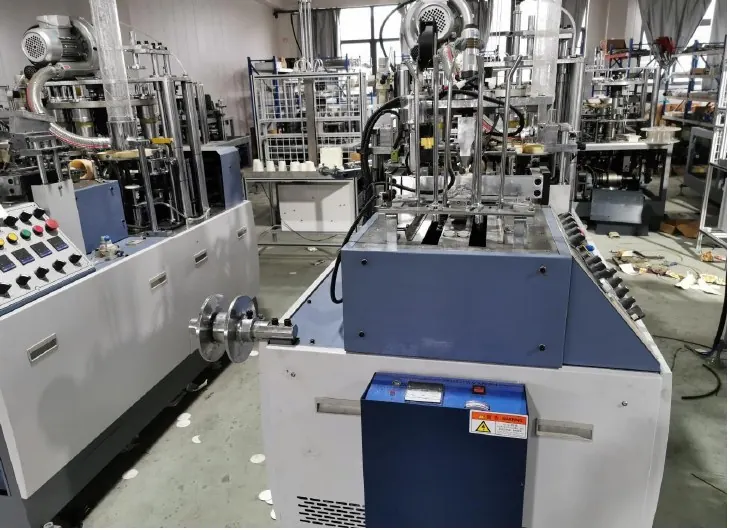
Decision worksheet
| Task | Proposed access evidence | Verification question |
|---|---|---|
| Run approved production | Operator task list and allowed screens | Can the operator run without engineering rights? |
| Adjust validated setup | Approved parameter list and named role | Are limits and change responsibility clear? |
| Perform service work | Time-bounded service authorization | Can elevated access be removed afterward? |
| Manage accounts | Controlled owner and recovery method | Can departing-user access be withdrawn? |
Map permissions from real production tasks
Start with the actions required during a normal shift: select an approved cup format, acknowledge a message, view a trend and enter authorized production information. Then identify setup, maintenance and administration tasks separately. Define access around these actions rather than assigning everyone a generic administrator account.
Ask the supplier which actions occur through the HMI and which also require engineering software, a physical selector or controller access. A screen password may control one route while another remains available. The review should cover the complete task path and identify any limitation that needs a procedural or physical control.
Separate recipe selection from recipe editing
An operator may need to select a released recipe without changing its engineering parameters. Write that distinction explicitly. Identify which values are permitted for routine adjustment, which require setup authorization and which are reserved for qualified engineering work. Obtain machine-specific permissible ranges from the supplier rather than inventing them.
Use an approval matrix that includes the parameter name, purpose, role, authorization and expected record. For example, a packing-count selection may belong to an approved production task, while a sequence timing value may require a controlled change. Confirm the classification with the installed system documentation and the responsible process owner.
Test account behavior using an agreed script
During an approved downtime window, verify that each representative role can complete its legitimate tasks and cannot perform restricted actions through normal screens. Check what happens after logout, screen navigation and a restart where permitted. Review unattended-session behavior if the HMI supports it. Avoid experimenting with credentials on a running line.
Record the observed behavior, not just the intended role name. A test might reveal that a settings screen remains accessible after logout, or that an operator loses access to a required acknowledgement. Both findings matter: unnecessary privilege creates change risk, while excessive restriction can prevent ordinary production recovery.
Assign ownership for shared and service access
Prefer attributable access where the installed platform supports it. When technical limitations require a shared role, assign an accountable custodian and use a controlled shift or service record. Document who grants access, who reviews it and how access changes after personnel or supplier arrangements change.
Keep credentials in the approved credential system, not in maintenance reports or article worksheets. Describe the recovery owner and process without exposing the secret itself. Temporary supplier access should have a defined purpose and closure condition, including confirmation that the machine returns to its agreed normal access state.
Retest after software and staffing changes
A role matrix can become obsolete after an HMI replacement, software update or recipe-screen redesign. Include access verification in those change plans. Recheck the affected task paths, record any newly available functions and update training before routine use resumes.
The final record should show role, allowed task, prohibited task, tested behavior and reviewer. Include unresolved platform limitations with a named owner. Success means the production team can perform approved work and the site can identify responsibility for consequential settings changes; a list of usernames alone does not provide that evidence.
Related equipment and next checks
Review the HN-M100 Automatic Paper Cup Machine and the related maintenance change control. The Engineering Notes archive connects these checks with wider machine planning.
Frequently asked questions
Does every operator need a separate account?
Use attributable accounts where supported. If the platform requires shared access, define custody and supporting records with the site owner.
Should all machine settings be locked?
Permissions should follow authorized tasks. Overly restrictive access can obstruct required production work; engineering settings still need controlled ownership.
Can a login screen prove access is controlled?
It shows an entry mechanism. Test actual screen and task permissions to establish what it protects.
When should the access review be repeated?
After relevant software, hardware, role or staffing changes, and under the site’s established review policy.
Review the evidence with HANNAI
Send the HMI model and a list of operator, setup and service tasks. HANNAI can help clarify available access functions and the machine-specific questions to resolve before handover.