A paper cup machine remote service session works best when the onsite team and supplier agree what the session may change before connecting. A troubleshooting call should have a named local owner and a clear endpoint.
This guide prepares an authorized service session, not an internet connection method. The machine builder and site IT or OT owner must approve the access path. Remote support does not remove the need for local supervision or qualified safety checks.
Decision worksheet
| Session stage | Required record | Hold condition |
|---|---|---|
| Before connection | Named parties, task and approved access window | Unclear authority or machine identity |
| During diagnosis | Machine state and proposed action log | Unexpected behavior or scope expansion |
| Before changes | Current-state backup and local approval | No verified recovery route |
| After disconnect | Access closure and production release | Unresolved change or restart result |
Define the service question and machine boundary
Send a concise problem statement containing the machine serial number, affected cup format, observed symptom, alarm evidence and production conditions. Explain whether the supplier is expected to view information, analyze a file or make a specific approved change. Separate remote diagnosis from permission to alter machine logic or settings.
Identify the equipment included in the session. A forming-machine issue may involve a packing interface, but that does not automatically authorize changes to the entire line. State the connected devices and designate the local person who can confirm physical conditions. Do not rely on a remote technician to infer guard, material or personnel status from a screen.
Agree access and supervision before connecting
Have the site IT or OT owner approve the connection method and the individuals who may use it. Define the start time, expected duration and closure rule. Where available, use the site’s approved identity and session controls. Do not publish controller interfaces directly to the internet to simplify a support call.
Keep a competent local supervisor present for actions involving the machine. Agree how the supervisor will pause the session if the machine state differs from the plan. Confirm the communication channel and who has authority to approve each consequential action. Remote access must not replace or circumvent the installed safety arrangements.
Capture a baseline before an approved change
Preserve relevant settings, program identity, alarm history and current production observations through the approved method. Record proposed changes in understandable terms: the affected item, reason, expected effect and recovery method. The local owner should acknowledge the scope before the technician performs a write.
For example, diagnosing a communication fault may establish that a device address differs from the approved record. The session log should identify that discrepancy and the agreed correction, then record the result. Avoid a series of undocumented adjustments that leaves the team unable to explain which action resolved the symptom.
Keep diagnosis tied to observable evidence
Record significant actions and their outcomes during the session. Use timestamped alarms and labeled sample observations where helpful. If the investigation changes direction, revise the permitted scope before proceeding. A successful connection does not prove that the underlying problem has been understood.
When physical checks are required, let qualified onsite personnel carry them out under the machine procedure. A remote instruction is not permission to reach into moving equipment or bypass an interlock. Stop and reschedule work that requires isolation, specialist attendance or a different approved test plan.
Close access and release the line deliberately
After the session, confirm disconnection and remove temporary access under the site policy. Record software or parameter changes, accepted backups, unresolved items and the next responsible person. A closed video call does not necessarily mean all remote access has ended.
Follow the approved restart and quality checks before releasing production. Compare the corrected behavior with the original symptom and document the trial result. The useful handover is a session record connecting authorization, change evidence, access closure and production release. Keep any continuing diagnostic task explicit rather than leaving an indefinite service connection active.
Related equipment and next checks
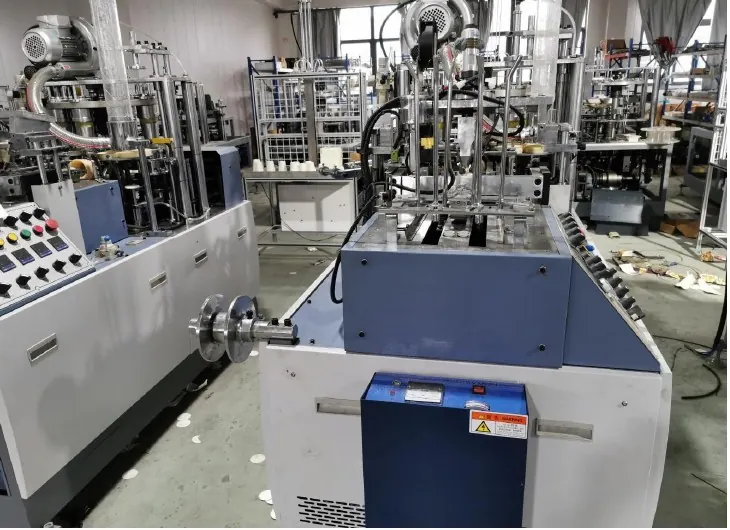
Review the HN-M100 Automatic Paper Cup Machine and the related remote troubleshooting evidence. The Engineering Notes archive connects these checks with wider machine planning.
Technical reference
- NIST SP 800-82 Rev. 3 — general operational technology security guidance — general reference; confirm applicability to the installed equipment.
Frequently asked questions
Does remote diagnosis authorize program changes?
No. Define write permissions and approve the specific scope before a consequential change.
Who should supervise at the machine?
A competent local person authorized by the site, with qualified personnel for specialist work.
What if the service question changes during the call?
Pause and revise the scope, approval and recovery plan before taking new actions.
What should be checked after the call?
Access closure, the change record, accepted backups, restart behavior and the relevant product-quality checks.
Review the evidence with HANNAI
Send the machine identity, fault evidence and the intended service scope. HANNAI can help prepare a focused support session and clarify the information needed from the onsite team.