A low-battery warning should be treated as a controlled maintenance event, not as permission to pull the battery immediately. Depending on the PLC model and configuration, the battery may retain clock data, memory areas, program data or selected parameters while other data is stored in non-volatile memory. The exact PLC manual and machine backup record must decide the procedure.
This guide separates identification, backup, replacement and restart verification. It does not replace the electrical safety procedure or the PLC manufacturer’s model-specific time limits. A qualified technician should isolate hazards, prevent unintended motion and protect the original program before opening the controller.
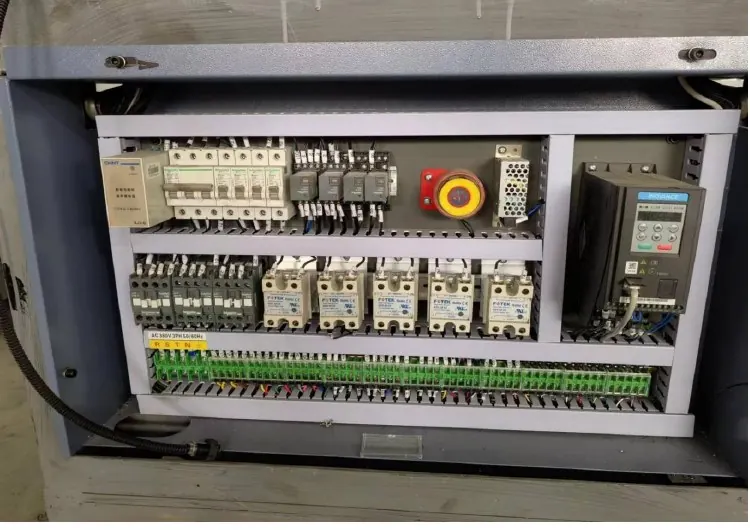
Decision matrix
| Control point | Evidence to collect | Release decision |
|---|---|---|
| PLC identity | Manufacturer, complete model, CPU version and memory option | Use only the matching manual and battery |
| Memory scope | Program, retained areas, clock, recipes and external memory | Know what may be lost or reset |
| Backup set | PLC project, HMI project, recipes, parameters and checksums | Prove a recoverable copy exists |
| Replacement conditions | Power state, permitted replacement window and ESD rules | Follow the model-specific method |
| Restart result | Diagnostics, I/O state, recipes, homing and controlled cycles | Release only after functional verification |
Identify the controller and memory behavior
Record the full PLC CPU code, installed expansion memory, battery code and current diagnostic message. Similar-looking CPUs may store programs and retained variables differently. Check whether the warning belongs to the PLC, HMI, servo drive or another device before ordering a part.
Read the manufacturer manual for that exact CPU. Omron documentation, for example, distinguishes battery-backed areas from data stored in flash or other non-volatile memory. That principle is useful, but it does not prove which areas this machine uses. Compare the manual with the electrical drawings and software project.
Create and test the backup before replacement
Upload the current PLC project using the approved engineering software and preserve symbols, comments, hardware configuration and network settings where available. Export HMI recipes and operator parameters separately because they may not be contained in the PLC project. Record software versions and access requirements without placing credentials in the service report.
A file name is not proof of a usable backup. Open the project offline, confirm the target CPU and compare it with the running controller using the vendor’s comparison function where permitted. Save the comparison result, file hash and date in the machine service folder. Do not overwrite the last known-good backup.
Plan a model-specific battery change
Obtain the approved battery assembly by exact part number and inspect its connector, date and storage condition. Confirm whether the manufacturer requires the PLC to remain powered, allows a limited power-off interval or specifies a different sequence. Never generalize a replacement window from another PLC family.
Schedule the work with production stopped, material cleared and motion hazards controlled. Protect the controller from electrostatic discharge and prevent loose conductors from contacting terminals. If powered replacement is explicitly required, it must be performed only by personnel authorized for that energized-work condition and under the site procedure.
Verify data and machine behavior after restart
After replacement, clear only the battery diagnostic in the manner defined by the manual. Compare program, hardware configuration, retained values and clock with the pre-work record. Inspect communications to the HMI, drives, temperature controllers and remote I/O before enabling automatic operation.
Run the permitted homing and setup sequence with guards restored. Verify recipe identity, heater setpoints, timing values, counters that affect maintenance and the expected safe state of outputs. Complete slow controlled cycles before production speed, then label the new battery installation date and retained-data evidence.
Build a repeatable retention plan
Include the battery model, replacement trigger, storage check, backup location, comparison method and post-change test in preventive maintenance. Review backup files after approved software or recipe changes instead of waiting for the next warning.
When asking HANNAI for support, send the machine model, project reference, PLC and HMI labels, diagnostic text and non-sensitive backup inventory. Do not send passwords in ordinary email. The linked recovery guide helps organize recipes and parameters beyond the PLC battery task.
Technical references
- Omron PLC terms and memory guidance — general component guidance; the installed machine documentation remains controlling.
Related machine and guide
Review the HN-M100 automatic paper cup machine for machine context, then use the HMI recipe backup and recovery guide for the adjacent check. Browse all Buyer Guides when building a wider project checklist.
Frequently asked questions
Will the PLC program always disappear when the battery is removed?
No. Memory behavior depends on the exact CPU, memory option and machine configuration; use the model manual and verified backup.
Can the HMI project be recovered from a PLC backup?
Not necessarily. PLC, HMI, drive and recipe data should be inventoried and backed up as separate controlled items.
Should a low-battery alarm be cleared before replacement?
Do not hide the warning. Identify its source, complete the approved replacement and then verify and clear the diagnostic as documented.
What proves the work is complete?
A matched part, verified backup, clean diagnostics, retained settings, correct communications and controlled machine-cycle evidence.
Review your machine configuration with HANNAI
Send the machine model, project reference, component labels, drawings, photos and a description of the required result. We will clarify which details must be confirmed before a quotation or technical recommendation.