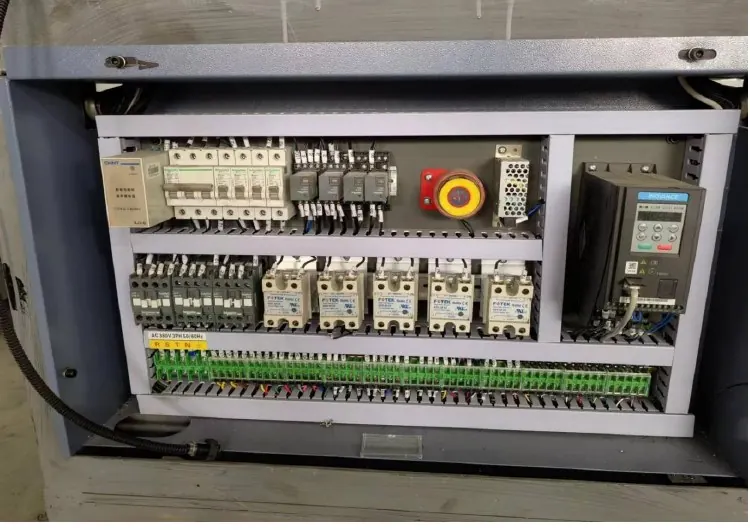
Paper cup machine control cabinet inspection requires the actual equipment documentation and qualified personnel. A cabinet photograph can show component layout, but it cannot establish electrical condition or authorize work inside it. For a production team, the useful task is to assemble machine identity, symptoms and maintenance history, then define an approved inspection and release process with the responsible electrical personnel.
Confirm the cabinet and document identity
Record machine model, serial reference, cabinet identification and the applicable electrical drawing revision. Identify any authorized changes since delivery. A drawing that omits a later modification may not represent the equipment that will be inspected.
Use the technical documentation checklist to organize approved drawings, component references and maintenance records. Do not infer circuit ratings, terminal functions or protection settings from the appearance of a similar cabinet. The actual component documents and machine design govern the work.
Collect observations without opening hazardous access
Record exact alarms, the operating stage, recent interruptions and relevant environmental observations available from a safe position. Existing display information can be useful where site rules permit. Operators should not open a cabinet or reach past protective covers simply to provide a better photograph.
| Planning item | Evidence required | Responsibility boundary |
|---|---|---|
| Cabinet identity | Machine and drawing references | Confirm the correct equipment |
| Reported event | Exact alarm, time and production state | Separate the symptom from a diagnosis |
| Authorized access | Site procedure and qualified personnel | Establish the required safe condition |
| Inspection findings | Identified components and work record | Support the approved repair decision |
| Return to service | Restoration and specified function checks | Authorize production handback |
Treat unusual smells, smoke, visible damage or suspected overheating through the site's emergency and escalation procedure. Do not continue opening or operating equipment to improve the evidence. The responsible team decides the safe response and inspection boundary.
Define the qualified inspection scope
Inspection and maintenance must follow the approved isolation process and applicable site requirements. Turning off a control display is not proof that all hazardous electrical or stored energy has been controlled. Qualified personnel must establish the safe condition using the approved procedure before access.
This guide does not give live-testing instructions, terminal-tightening values or protection settings. The electrical team should use the actual machine and component documentation to decide the permitted checks, tools and acceptance requirements. Blanket instructions to tighten every connection can conflict with component-specific methods and should not replace the approved scope.
Keep photographs, component identity and findings linked to the work record. Record condition before cleaning or replacement where the safe procedure allows it. Confirm approved compatibility for replacement parts; a similar enclosure or matching headline rating does not establish full functional suitability.
For events involving detection or protective functions, retain the sensor and interlock evidence. For heater-related events, preserve the temperature-control record. A cleared alarm does not independently prove that the underlying condition has been resolved.
Document restoration and controlled handback
Record work performed, installed part references, drawing updates and any authorized configuration changes. Confirm protective covers, guards and other relevant protections are restored. The qualified team should complete the specified function checks before handing equipment back to production.
Use the planned restart checklist to connect maintenance completion with a controlled production trial. Keep product-quality results with the handback when the intervention could affect forming or sealing. If a required check remains incomplete, record the hold rather than describing the machine as fully released.
Send HANNAI the machine identity and event record for a support discussion, without sharing passwords or confidential remote-access details. Review the machine range with the site's supply and documentation requirements when planning a new installation.
Frequently asked questions
Can a cabinet photo prove that wiring is correct?
No. It can help identify visible layout. Verification requires the actual documents, approved inspection method and qualified personnel.
Is a dark control screen proof of safe isolation?
No. The approved energy-control procedure must establish the required safe condition; display state alone is not sufficient evidence.
Should every terminal be tightened during inspection?
Follow the component and machine instructions. Do not substitute a blanket tightening instruction for the qualified inspection scope.
What confirms return to production?
Use the approved restoration and protective-function checks, documented work and required controlled production results, with authorization by the responsible personnel.